 Tempo
Your scheduled tasks,
in plain words.
Tempo shows what runs by itself on your computer: when each task runs next, how its last runs went, and why one failed. Drop a script on it to schedule a new one.
Install on Linux, in your home folder
curl -fsSL https://tempo.ferhatsn.fr/install.sh | sh 
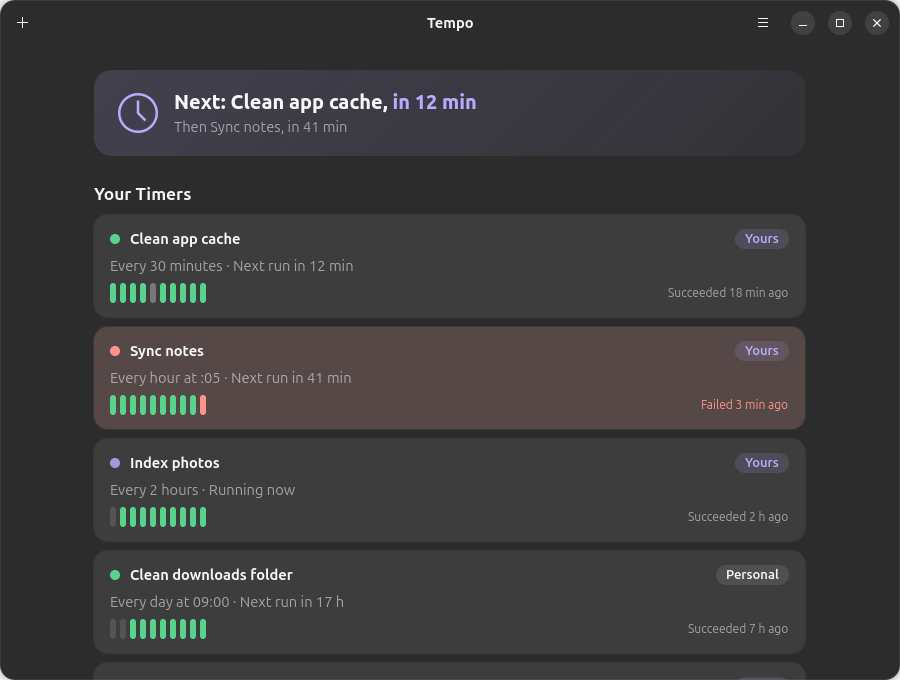
Everything that runs by itself, at a glance

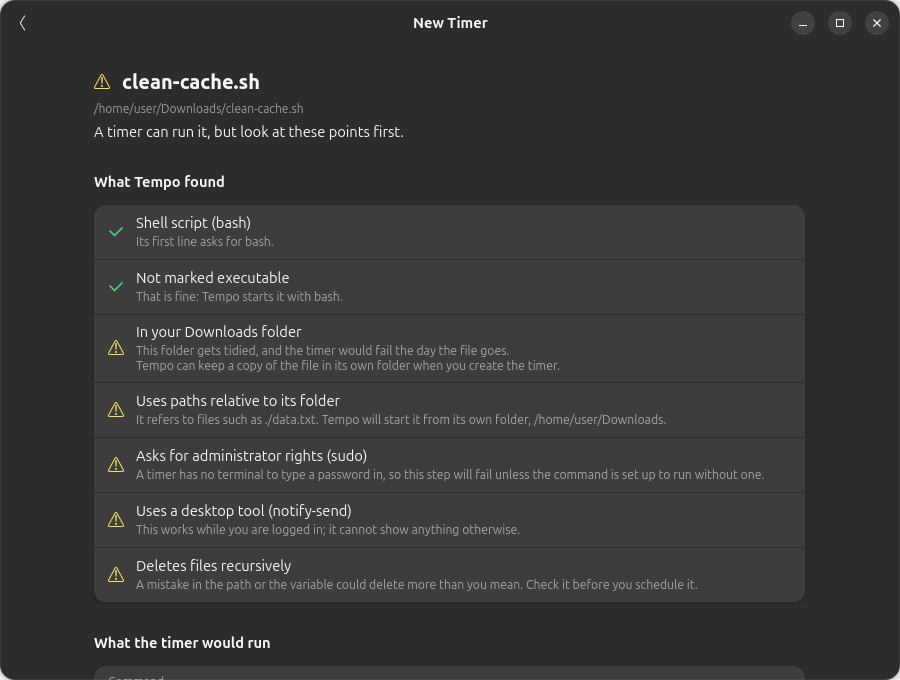
Drop a script, get a timer
Drop a script or a program on the window. Tempo reads it without running it and tells you what could go wrong once nobody is there: a missing interpreter, a file in your Downloads folder, a password prompt, a question waiting for the keyboard. Each problem comes with its fix.

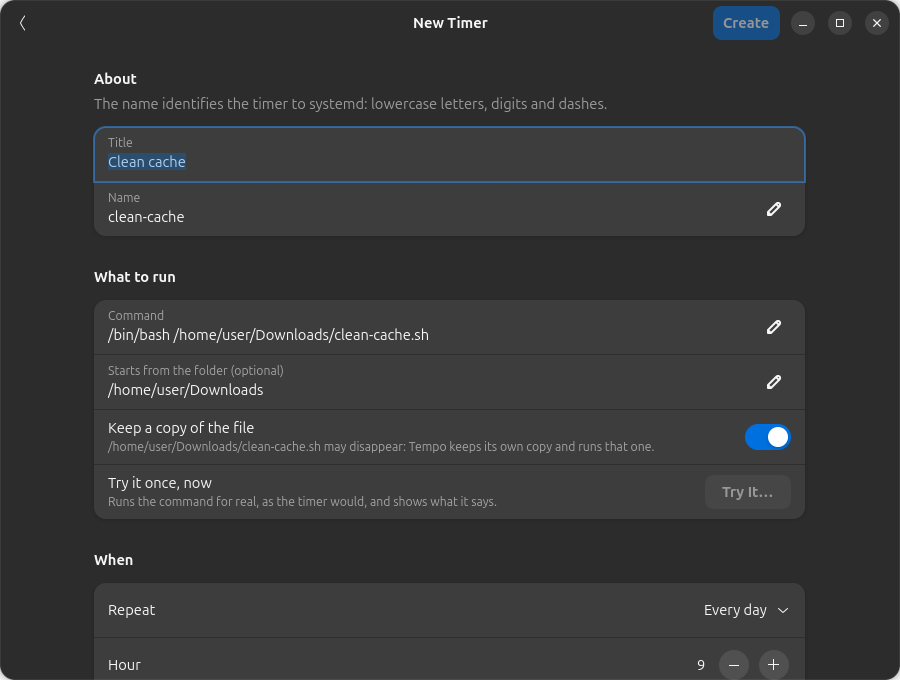
Checked before it is saved
Pick when it runs in words, add conditions (only if a program is not running, only on mains power), and see the next runs before saving. Tempo checks the timer with systemd itself, and can run the command once so you see what it says.

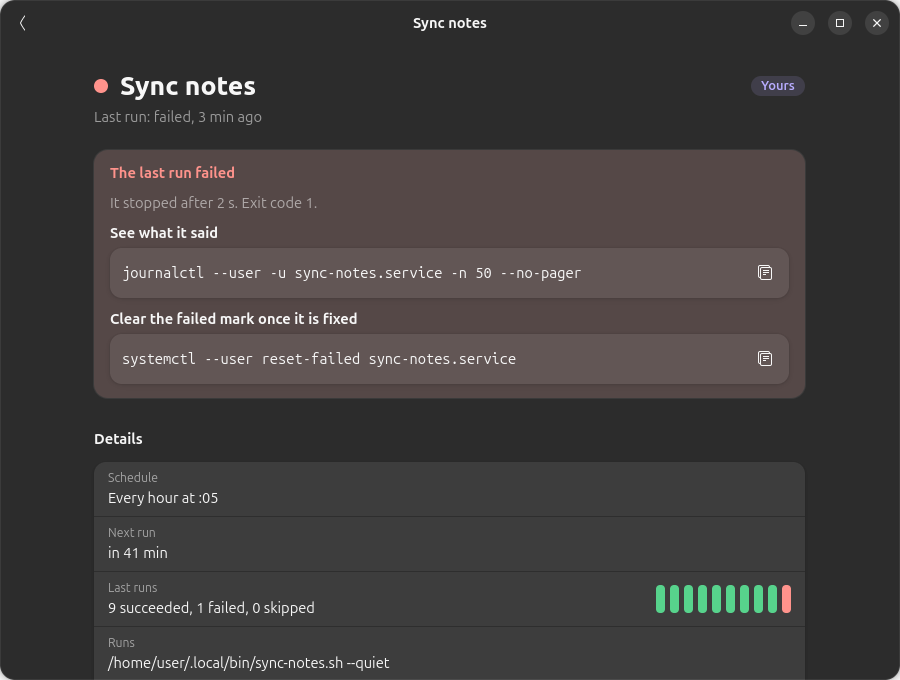
When something fails, you know why
A failed run turns the timer red, with the exit code and the last lines of its log, and a notification tells you at once, even when Tempo is closed. One click opens the full log, live, with only the problems if you want.

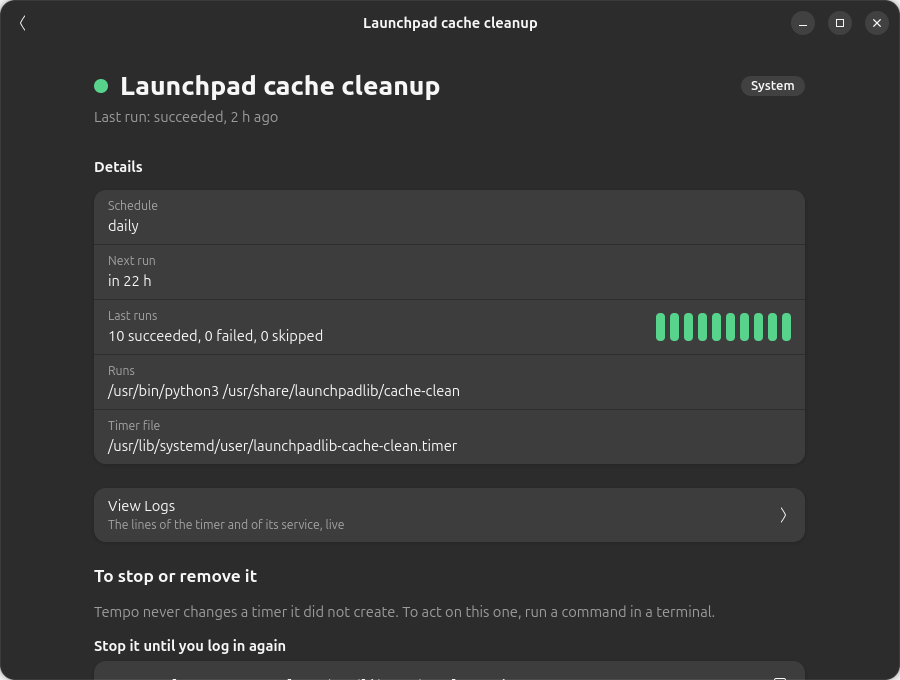
Hands off the system’s timers
Tempo changes only the timers it created. The others, from your system, your apps or written by hand, are shown with what they do, and the exact command to stop or turn them off if you choose to.
Live logs
The log of each timer and of its task, as it is written. Copy it or save it.
Try it first
Run the command once, after you confirm, and read its answer before scheduling it.
Undo a delete
Deleting a timer can be undone for a few seconds. Pause, resume, turn off and on in one click.
Nothing in the background
Close the window and Tempo is gone: your timers keep running, systemd takes care of them.
English and French
In your system’s language, light or dark like the rest of GNOME.
Stays on your computer
No account and no tracking: Tempo talks to your own systemd, and only asks this site once a day whether a new version exists.
Why Tempo
systemd timers are reliable, but reading them takes several commands and a good memory. Tempo puts them in one window, in words, and makes a new one without writing unit files by hand.
Light and native
Written in Rust with GTK 4 and libadwaita: one program of about 5 MB, no Electron, no web view. Tempo does not need to stay open: systemd runs your timers, the window only shows them. For Ubuntu 24.04 and later, Fedora and other distributions with systemd. See the requirements.